A to-do app for today — and Morgen
Today, sorted.
The rest can wait for Morgen.
Tasks, a calendar, routines that repeat on their own and a quick-add that understands “Call mom fri 3pm”. Fast, installable, and your data stays in your browser.
Try it here
Type it the way you'd say it.
This is the app's real quick-add parser, English and German. Dates, times, repeats, labels and priority are picked out while you type — click a chip to ignore it. Nothing is saved.
Features
Everything a day needs. Nothing it doesn't.
Today & Coming up
What's due and overdue, a day-progress bar and the week ahead — drag a task onto another day.
Calendar
Every due date in a month view, a backlog tray to plan undated tasks, drag & drop to reschedule.
Routines that repeat
“Every mon and thu 6pm” — each occurrence can be done or skipped on its own.
Labels & filters
Colour labels, priorities and status filters on the list and the calendar.
Stats & streaks
Your current and best streak, a year heatmap and how much you finish on time.
Keyboard first
A command palette (⌘K), shortcuts and full keyboard support in every control.
Install it
Opens like a native app, works offline and shows today's count on its icon.
Light & dark
Two hand-tuned themes that follow your device — or your choice.
Your data, your file
Everything stays in your browser. Export a backup any time, import it anywhere.
Screenshots
Same calm, day or night.
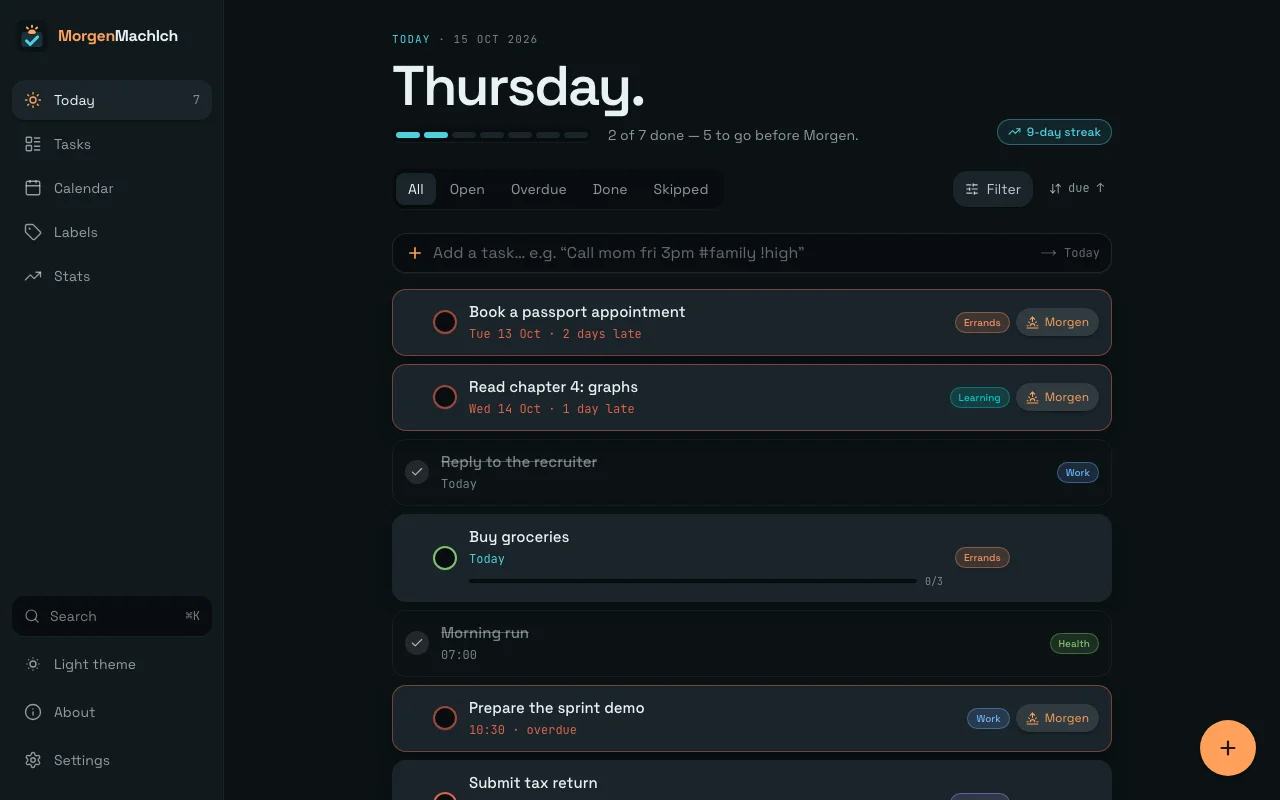
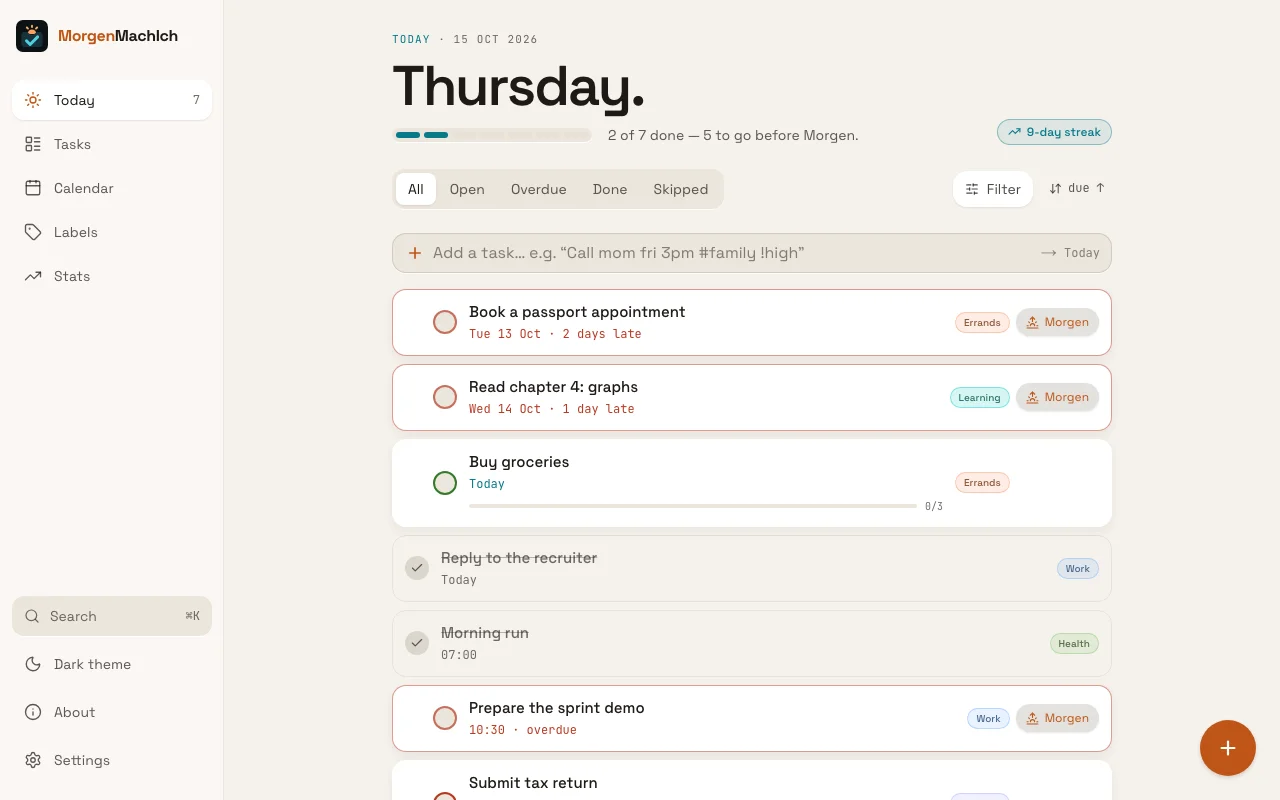
Real screenshots of the app with the sample data, in both themes — recreated by a script whenever the design changes.
Overdue first, then today in order — with a day-progress bar and your streak.
How it's built
Planned like a team project. Built with AI, one issue at a time.
Every feature started as an epic with issues, got its own branch and pull request, and passed type checks, lint, a build and tests in four time zones before it was merged.
- epics
- 21
- issues
- 250+
- pull requests
- 160+
- tests
- 780+
- time zones in CI
- 4
- Next.js + ReactApp Router, one route per view, server components for static parts.
- TypeScript + ZodOne schema per entity: types at compile time, validation at the storage boundary.
- Dexie (IndexedDB)Local-first. Only lib/db talks to storage, so a hosted API can replace it.
- Tailwind + DaisyUITwo themes built on semantic tokens, no hard-coded colours.
- chrono-nodeNatural-language dates in quick-add, English and German.
- dnd-kitDrag & drop with keyboard and touch support built in.
- Service workerHand-written: offline app shell and an update toast.
- Vitest + GitHub ActionsTests next to the code, CI on every pull request, deploys on Render.
Build vs. buy
Hand-built where it's small, a library where it's hard
Command palette, charts and service worker are own code; drag & drop uses dnd-kit, because touch, collisions and keyboard dragging are the hard part.
Ordering
Fractional indexing
Moving a task writes one short key between its neighbours instead of renumbering the list — ready for a database later.
Testing
Four time zones
Most of the logic is calendar-day math, so every test runs in Berlin, Los Angeles, Kolkata and Auckland.

Remote-first · on site around Neustrelitz possible
Built by
Niko Klam
Transitioning from automation and mechanical engineering to full-stack and back-end development. Python, React, TypeScript and C# — and I love coding. This app is my proof: planned like a team project, built step by step with AI, tested and shipped.
Career path
- 2012–22
BMW AG · production
- 2022–23
BMW AG · maintenance & IT
- 2023–25
Automation technician
- 2026–27
Software Engineering & AI
Skills
used in this app
Languages
05- Python
- TypeScript (used in this app)
- JavaScript (used in this app)
- C#
- SQL
Web & back-end
09- React (used in this app)
- Next.js (used in this app)
- HTML & CSS (used in this app)
- Tailwind (used in this app)
- Flask
- ASP.NET
- REST APIs
- PostgreSQL
- MongoDB
Tools & practice
08- Git & GitHub (used in this app)
- Testing & debugging (used in this app)
- Data structures & algorithms
- Docker
- Azure
- Generative & agentic AI (used in this app)
- Scrum / agile
- Jira
From automation
04- Siemens S7 / TIA Portal
- Functional safety · EN 62061
- HMI visualisation
- SAP